Contacts
Contacts is one book for clients and suppliers. Each contact has its own page: who they are, whom to talk to, who owes whom, and everything that happened between you. Company details load straight from the Enterprise Register.
The list
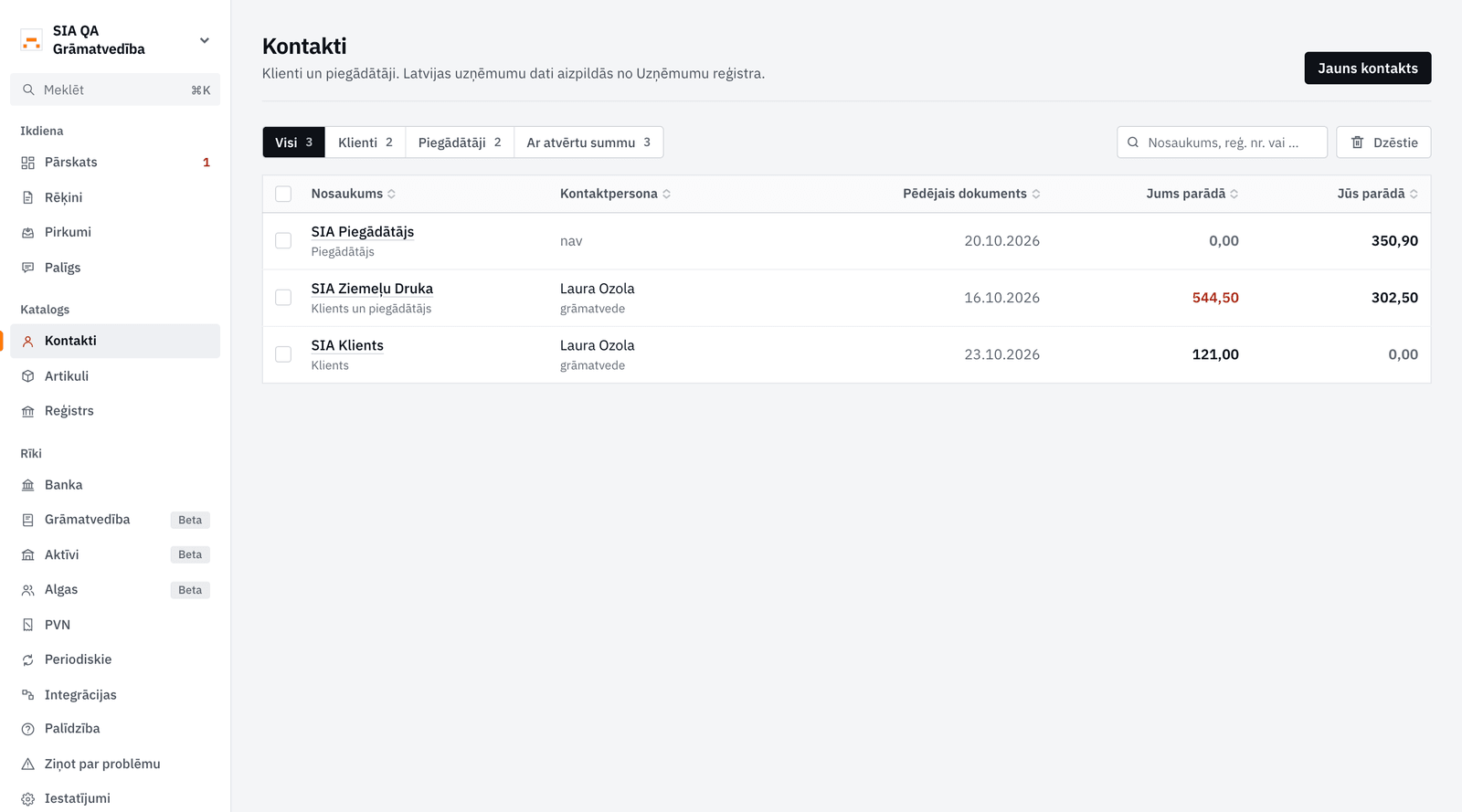
In Contacts each contact shows its role (client, supplier or both), its first contact person, the date of its last document and the money open both ways: what they owe you and what you owe them. The documents decide the role: a client is someone you invoiced or quoted, a supplier someone a bill came from. The filters at the top show only clients, only suppliers, or those with money open.
Adding a contact and looking up a company
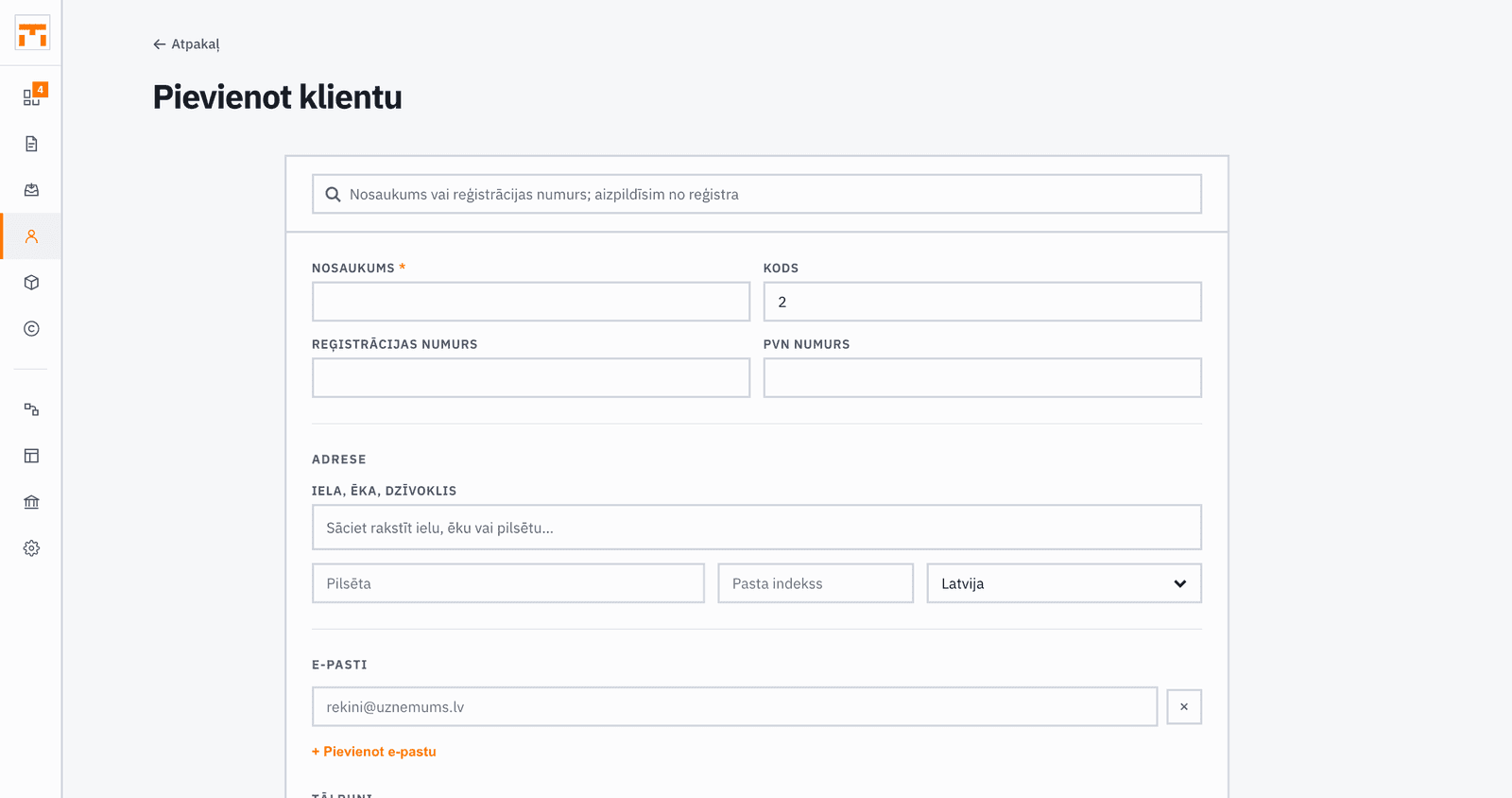
Click New contact. Type a company's name or registration number into Search the register and pick it. Fakts finds it in the Enterprise Register (UR) data and fills in the name, registration number, VAT number and legal address. Only the name is required; individuals need no registration number.
The contact page
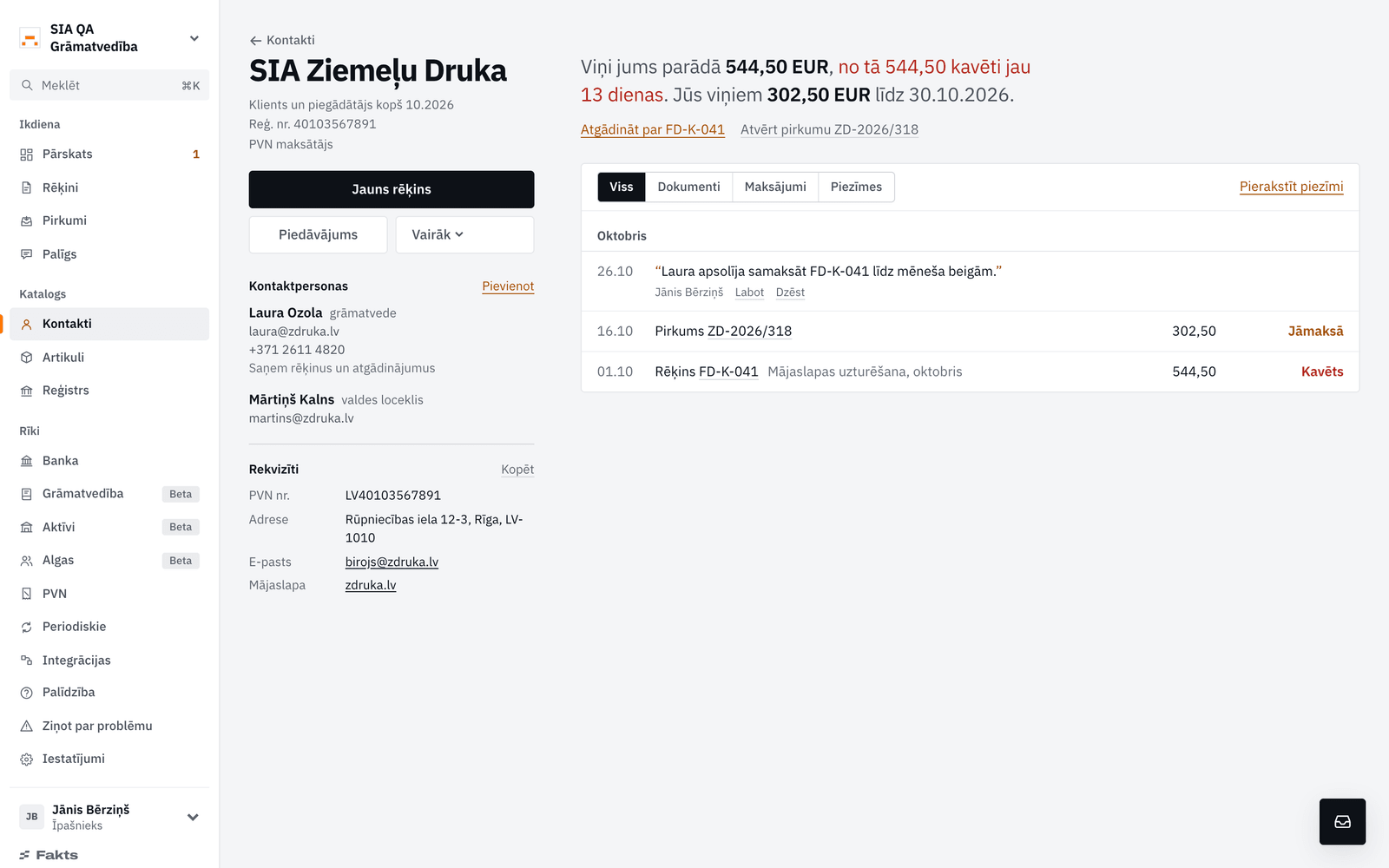
The left side holds what does not change: details, register standing and the contact people with role, email and phone. Mark the person who handles invoices with Gets invoices and reminders: invoices, quotes and reminders go to their address by default, and the send dialog offers every person by name.
On the right, one sentence says who owes whom, how late it is and how quickly the contact usually pays. Below it is the history: invoices, credit notes, quotes, bills, payments both ways, reminders and notes, newest first.
Notes and pausing reminders
Write a note keeps what you agreed, with its date and author. When a contact has promised to pay later, add Pause reminders until to the note: until that day no automatic reminder goes to them, and the ones whose day fell inside the pause are not sent later either. Resume lifts the pause at any time.
Suggestions from bills
When a supplier's bills show an account, address, email or phone the contact does not hold yet, Fakts offers it under the details with the bill it was read from. It offers an email or phone only when at least two of that supplier's bills print it, and never your own details from the buyer block. Nothing is added until you press Add.
Reconciliation act
The More menu has Reconciliation act: a statement of account reconciliation as of a chosen day, with both sides' unpaid documents, the balance and room for signatures. Download it as a PDF or send it from Fakts; a sent act shows in the contact's history.
Contacts on invoices
When creating an invoice or another document, start typing a name in the client field and Fakts suggests matching contacts. Picking one fills its details into the document. A new contact can be added straight from the invoice form.