Exporting your PVN declaration
As a VAT-registered business you file a PVN declaration every month or quarter through the State Revenue Service's Electronic Declaration System (EDS). Fakts builds the whole declaration from your invoices and bills as one XML file that you upload to EDS, review and sign there.
What the file contains
One file for one month or quarter, in the format EDS accepts by upload:
- the main declaration form: supplies by rate, reverse charge, EU supplies and exports, output VAT and input VAT;
- PVN 1 part I (input VAT on domestic purchases, reverse charge, services from abroad), part II (EU acquisitions) and part III (your issued invoices);
- PVN 2, the list of supplies and services to VAT payers in other EU countries.
Documents of 150 EUR or more before VAT are listed one by one where Cabinet Regulation No. 40 requires it, and smaller ones are grouped. Foreign currency amounts are converted to euro at the ECB rate stored on the document. EDS calculates the amount to pay or reclaim, and Fakts shows it to you beforehand.
Preparing the file
Open the VAT section and pick a period, for example Last month. Below the summary, the declaration for that period appears: the notes, the declaration rows and how many rows each appendix has. If you are correcting a declaration you already filed, tick Corrected declaration. When everything looks right, click Download for VID EDS.
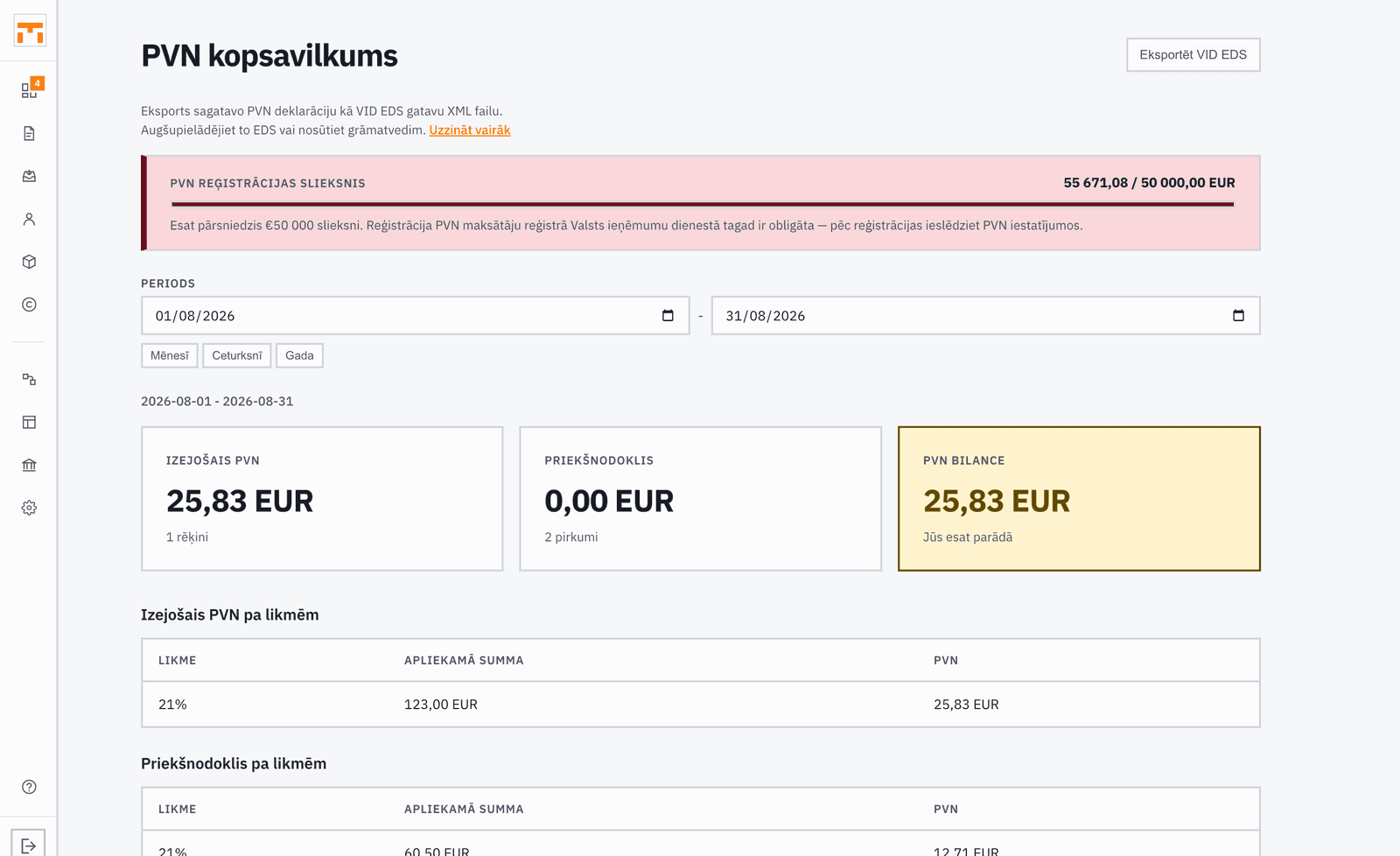
Notes marked Fix stop the download: an EU client without a VAT number, say, or a reverse charge line with no reason. Notes marked Check are in the file but ask for your confirmation, for example where the VAT treatment of a bill was read from the supplier's country.
Uploading it to EDS
- Make sure every invoice and bill for the period is in Fakts.
- Download the file from the VAT section.
- In EDS choose Jauna dokumenta izveidošana, then No faila, and pick the file.
- Review the declaration and its appendices, then submit and sign.
The deadline is the 20th after the period ends. PVN 2 is filed for every month, so a business with EU supplies declares monthly, and Fakts will not put EU supplies in a quarterly file.
A credit note on an EU supply from an earlier period also needs a PVN 3 for the original month. Fakts reminds you, but does not produce the PVN 3 file yet.