Incoming bills & expenses
Fakts lets you record the invoices and expenses you receive, keeping all your business costs in one place. Upload a bill for Fakts to read, forward it to cc@fakts.lv, enter it by hand, or, on the paid plan, receive it from a connected Gmail account.
Recording a bill by hand
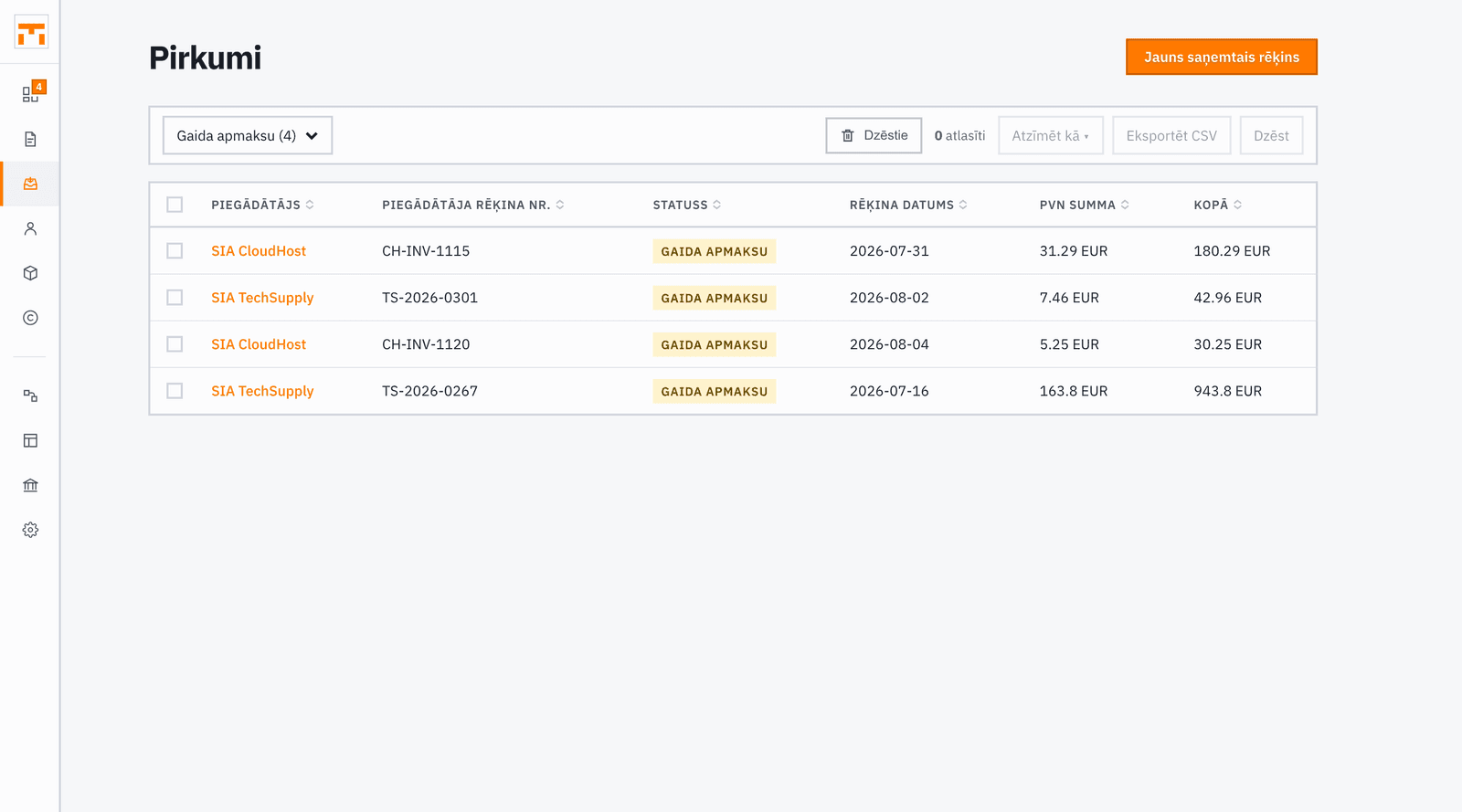
Open the Bills section and choose Enter by hand. Enter the supplier (pick one from your contacts or create a new one), the supplier's invoice number, the issue, received and due dates, the currency, the amount without VAT, the VAT rate and amount, the total, the payment method, and notes. If the amount without VAT and the VAT do not add up to the total, Fakts warns you.
Saved entries build an expense history you can search and filter by status. Confirmed bills feed into your VAT summary as input VAT.
Uploading a bill
In Bills, click Upload bills, or on a computer just drop a file anywhere. On a phone the Documents tab does the same, and lets you photograph the bill too. Uploading works on every plan; the free plan limits how many documents are read.
Forwarding to cc@fakts.lv
Send or forward a bill to cc@fakts.lv. Fakts recognises from the sender's address which company it is for, and a moment later the bill is a draft in the Inbox. PDF and photo attachments up to 10 MB are read; the text of the email is not.
The address you sign in to Fakts with works straight away, as long as you are allowed to add bills. Other addresses, such as a bookkeeping inbox, are added on the Document sources page. The owner of the address gets an email and confirms that it may send documents to your company.
If you belong to several companies, the buyer printed on the bill decides which one it goes to. When that cannot be read, the bill goes to the company you last worked in, and the Inbox says so.
Importing from Gmail (paid plan)
If you connect your Gmail account to Fakts, it checks your mailbox every 30 minutes and turns PDF attachments that look like invoices into incoming invoice drafts. The connection is set up on the Document sources page, which you open from Settings or from Integrations.
AI-drafted incoming invoices
Fakts reads uploaded files, attachments sent to cc@fakts.lv and Gmail attachments with an AI model that extracts the supplier name, amount, date, VAT, and other fields. The result appears as an incoming invoice draft in the Inbox on the dashboard (on a phone, in the Documents tab), where you check and confirm it.
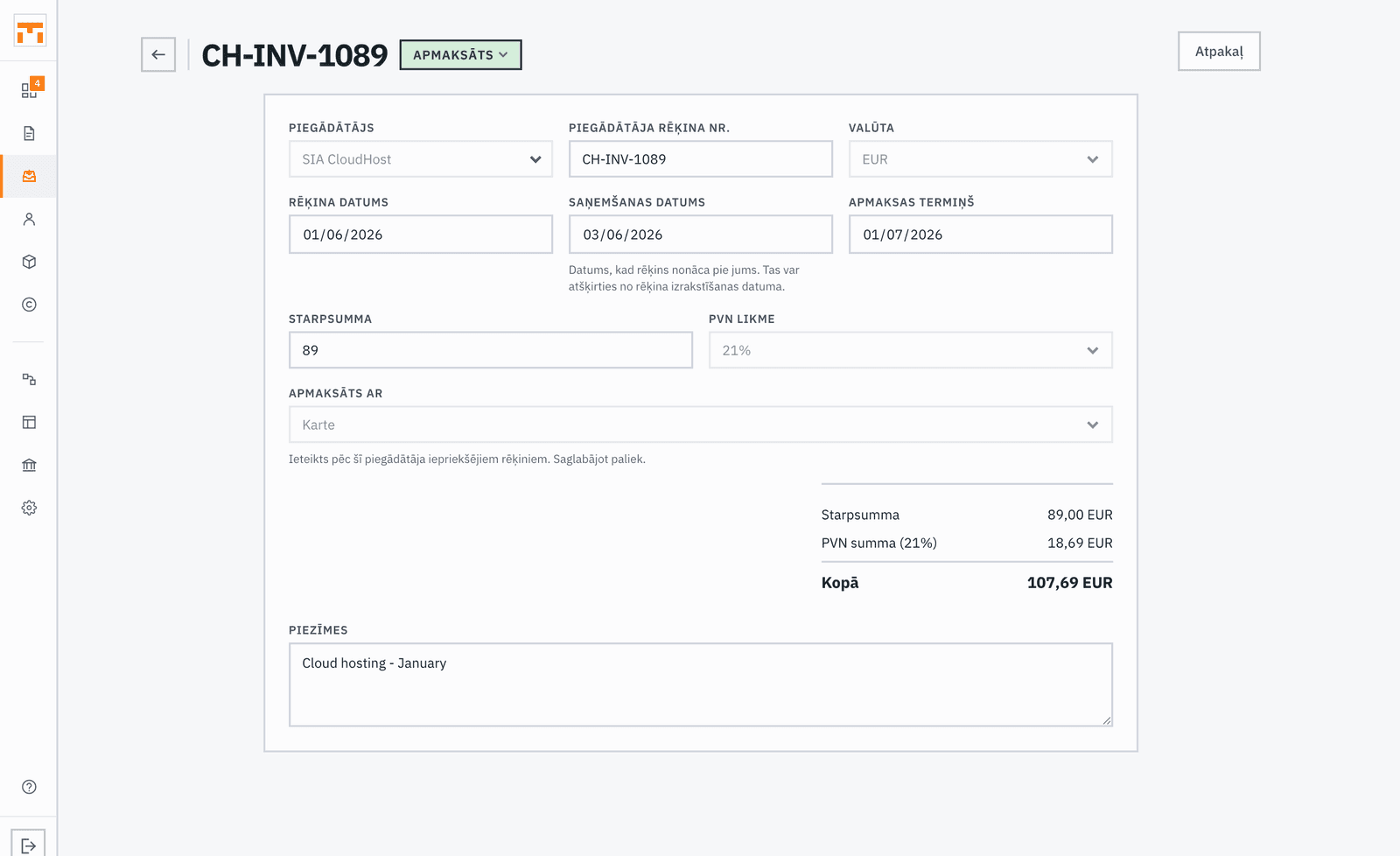
Always review the draft before confirming it. The AI can make mistakes, especially with non-standard invoice formats. Fakts marks the fields the model was unsure about. You are responsible for the accuracy of the data.