Royalty statements & acts
Royalty statements are a separate document type, distinct from invoices both legally and in content. Fakts lets you create a royalty statement and generate an acceptance act from it.
Creating a royalty statement
Open the Royalties section and click New royalty. Choose a client from your contacts or add one directly. Describe the work and enter the gross amount, currency, document language, and the date of the work.
Fakts calculates the tax to withhold and the net amount payable. You do not pick the tax rate per statement: your company's tax settings decide it. Review the figures before sending. Once the statement is sent or paid, record it with Record as sent and Record royalty payment.
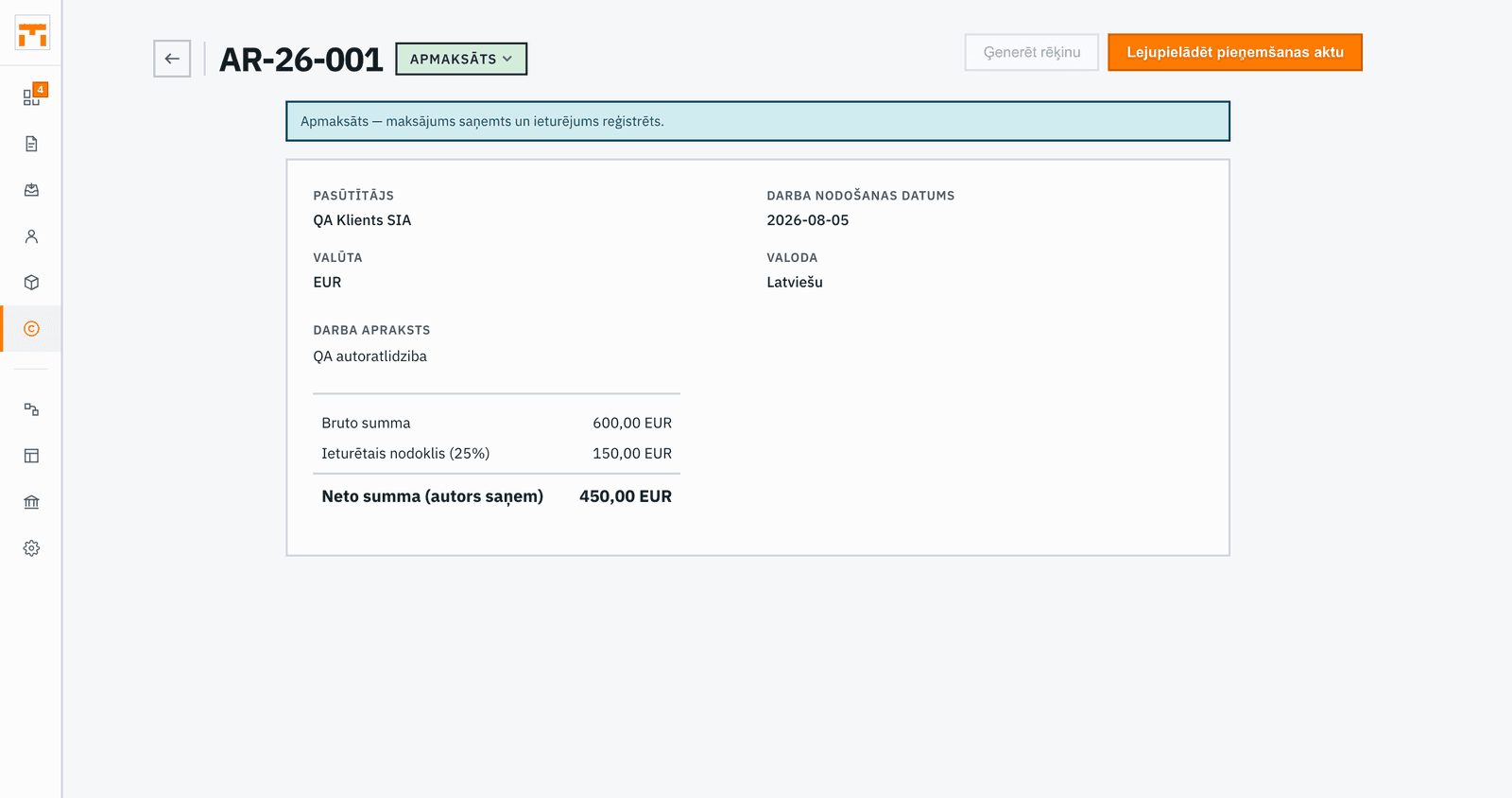
Generating an acceptance act
From a completed statement, Download acceptance act gives you a pieņemšanas-nodošanas akts (acceptance and handover act), a document confirming that the work has been delivered and received between the parties. The act is prepared automatically from the statement's work description and amount.
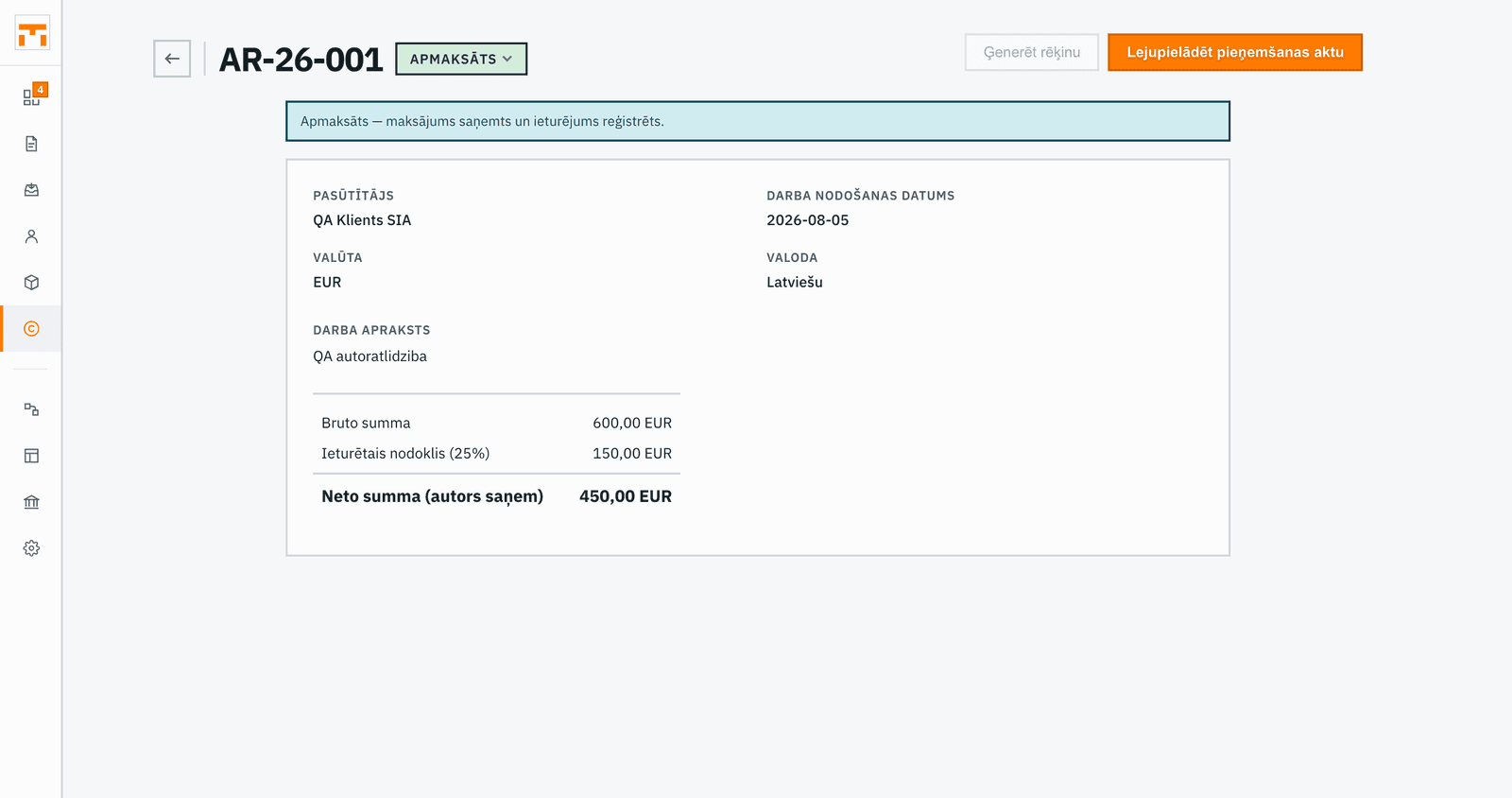
Both documents, the statement and the act, are saved and available for download at any time.
Royalty vs invoice differences
A royalty statement is not an invoice. The key differences:
- Tax withholding: when the author has no registered business activity, the payer withholds a 25% tax (covering both state social insurance contributions and personal income tax) and pays it to the state budget. Fakts uses this rate by default. Collective management organisations apply different rates.
- No VAT: VAT is generally not applied on a royalty statement.
- Acceptance act: generated as a companion document; invoices do not require this.
If you are unsure whether a particular arrangement calls for an invoice or a royalty statement, consult your accountant.